Orders and tracking
Statuses, owners, quotes and commercial terms shaped around your operation. Visibility into pending and completed work.
US · Latin America · Built from Peru
When a sale moves through spreadsheets, messages and separate records, it is hard to follow. We design software that connects the order with what happens next.
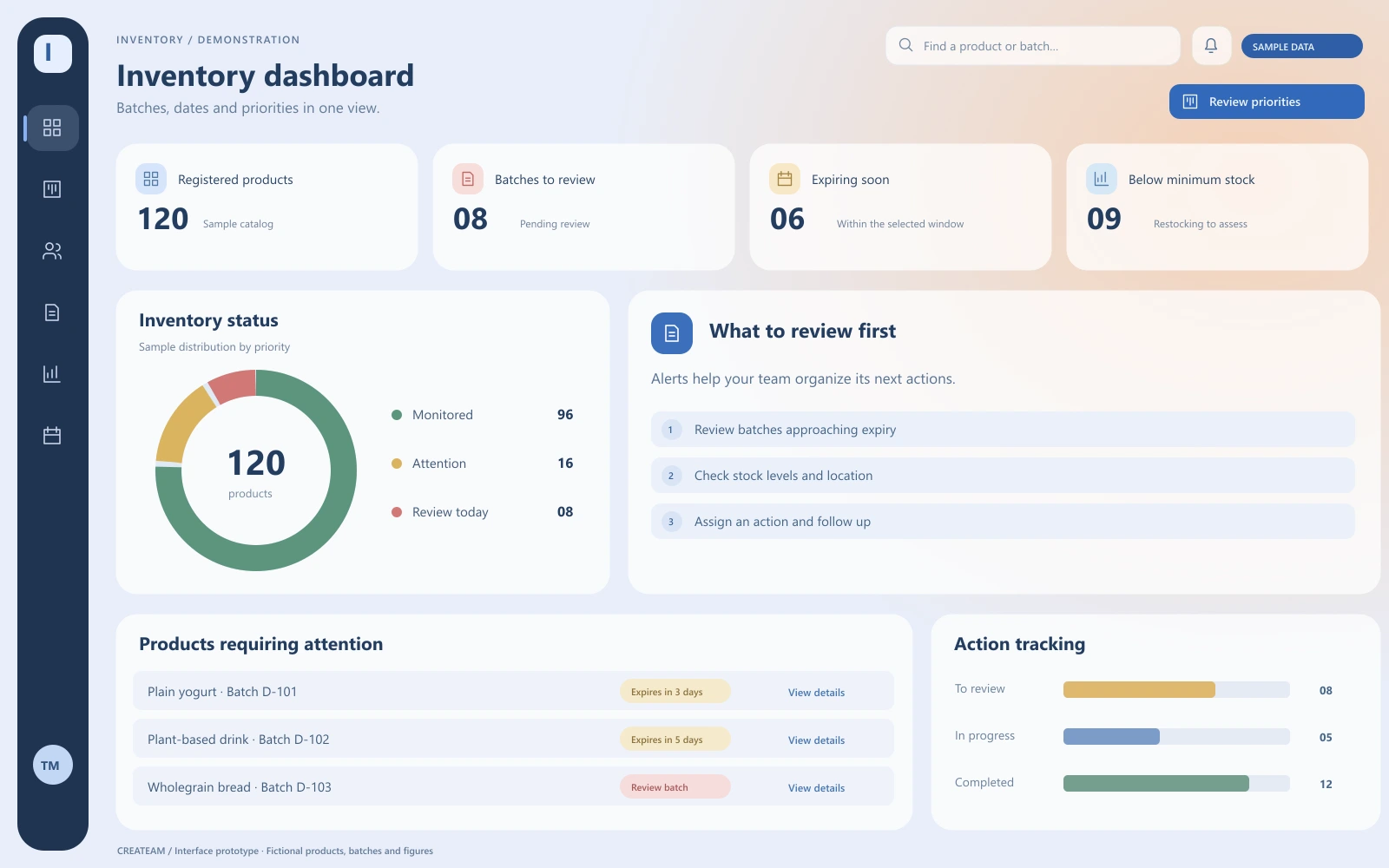
From workflow to design
An example of software for stores that need to track stock, batches and expiry dates. The views use fictional products and figures to illustrate a possible solution.
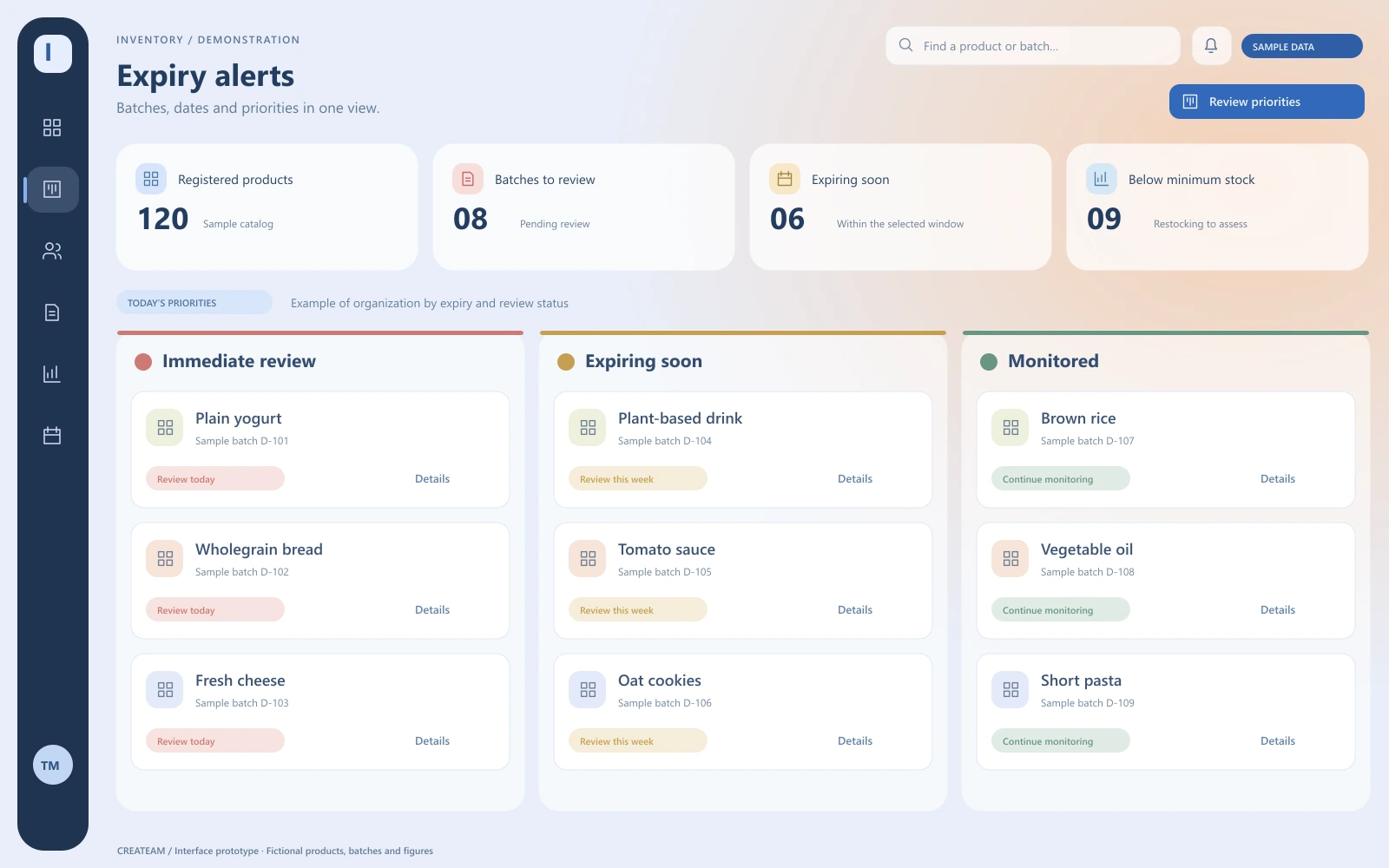
Bring together the information needed to identify what to review.
Organize follow-up around your business rules.
Assign owners and record the action taken.
Example design with fictional data. We can adapt the interface, modules and integrations to your workflow. Final scope is agreed for each project.
A starting point
Describe how you receive orders, confirm stock, collect payments and deliver. Identify locations, users, permissions and required reports. Then compare available software with your operating rules. If you need specific features or integrations, we define an initial custom release and a data migration plan.
What we can assess
We select what your first release needs. Each project is defined by its scope and integrations.
Statuses, owners, quotes and commercial terms shaped around your operation. Visibility into pending and completed work.
Stock by location, reservations and movements. We can include batches, expiry dates and alerts based on your operating rules.
Payment records, reconciliation and operational reporting. Invoicing and integrations are assessed by country and provider.
How we start
Follow a real order from arrival to completion, including exceptions.
Agree on users, rules and integrations for the first version.
Review data, migration and testing with the people who will use the system.
Define access, training, backups and support for day-to-day use.
Our work
CyberPOS and OnTurn show our experience building operational and booking software. Explore their engineering to understand our approach.
Explore our engineeringLooking for subscription ERP and POS software for a business in Peru? Review CyberPOS features and plans first.
Explore CyberPOS on Createam CloudBefore you decide
A POS records the transaction at the point of sale; a CRM organizes prospects and sales follow-up. Sales management software may connect orders, inventory and payments. These tools can complement each other; the workflow determines what you need.
Review available software against your workflows first. Custom development is worth evaluating when business rules or integrations require a different scope. CREATEAM also offers CyberPOS by subscription for businesses in Peru; it is separate from custom development.
It depends on locations, users, rules, reporting, migration and integrations. We define an initial release before estimating, with development, hosting, external services and support costs identified.
We first review an authorized sample: fields, duplicates, products, customers and transactions. Cleanup, field mapping, a test import and validation are agreed before production use.
We assess each system’s APIs, permissions and rules. The proposal defines the exchanged data, timing and error handling. Tax-related features require review of the country and specific integration.
Yes. Custom software can record batches and expiry dates, prioritize products and assign follow-up actions. We review how you capture data, alert rules and who should act. The aim is to help prevent losses; alerts depend on up-to-date information and action by your team.
The first step
Describe how you record sales today, how many locations you operate and which tools need to connect. We can help evaluate the scope.
Lima, Peru · Projects for the US and Latin America
Monday–Friday · 09:00–18:00 · UTC−5
We review your enquiry. If it is a fit, we arrange a conversation to clarify scope and prepare a proposal.